Comprehensive AKS Backup, Recovery and Migration Solution
AKS backup with granular recovery across clusters, accounts, tenants, and regions. Centrally manage Kubernetes backup, migration and disaster recovery for Azure environments.
Migrate workloads to new AKS environments like Azure Linux and Azure Container Storage.
Top Five Reasons to Use CloudCasa with Azure
From the Azure Marketplace or Azure Portal, AKS customers can easily find, transact, and deploy CloudCasa on any cluster, including those managed through Azure Arc, to deliver enterprise-grade, cloud-native, data protection, migration and compliance.
CloudCasa is available through the Azure Marketplace and Azure Portal, making it easy to deploy on AKS and Azure Arc–enabled clusters for enterprise-grade backup, migration, and compliance.
If you’re using Velero or AKS Backup today, CloudCasa offers a more comprehensive alternative for AKS backup, AKS migration, and AKS disaster recovery.
CloudCasa integrates with your Azure accounts to auto-discover AKS clusters and apply global backup policies across multi-cluster and multi-account environments. For teams using Velero or AKS Backup today, CloudCasa offers a more complete alternative for AKS backup, disaster recovery, and migration. When you need to migrate or create a new AKS environment, simply back up and use the recovery workflow to build new clusters or move data.
Azure Awareness
Azure and AKS-native integration brings awareness on cluster and cloud configuration to quickly restore or migrate your apps and data.
DR and Compliance
Just install the CloudCasa agent to protect your AKS clusters resources & persistent data, providing the business continuity and compliance that your business requires.
Centralized Management
Centralized visibility across all accounts, including non-Azure ones managed by Azure Arc, enables you to inventory and catalog configurations of all AKS clusters and extended clusters efficiently.
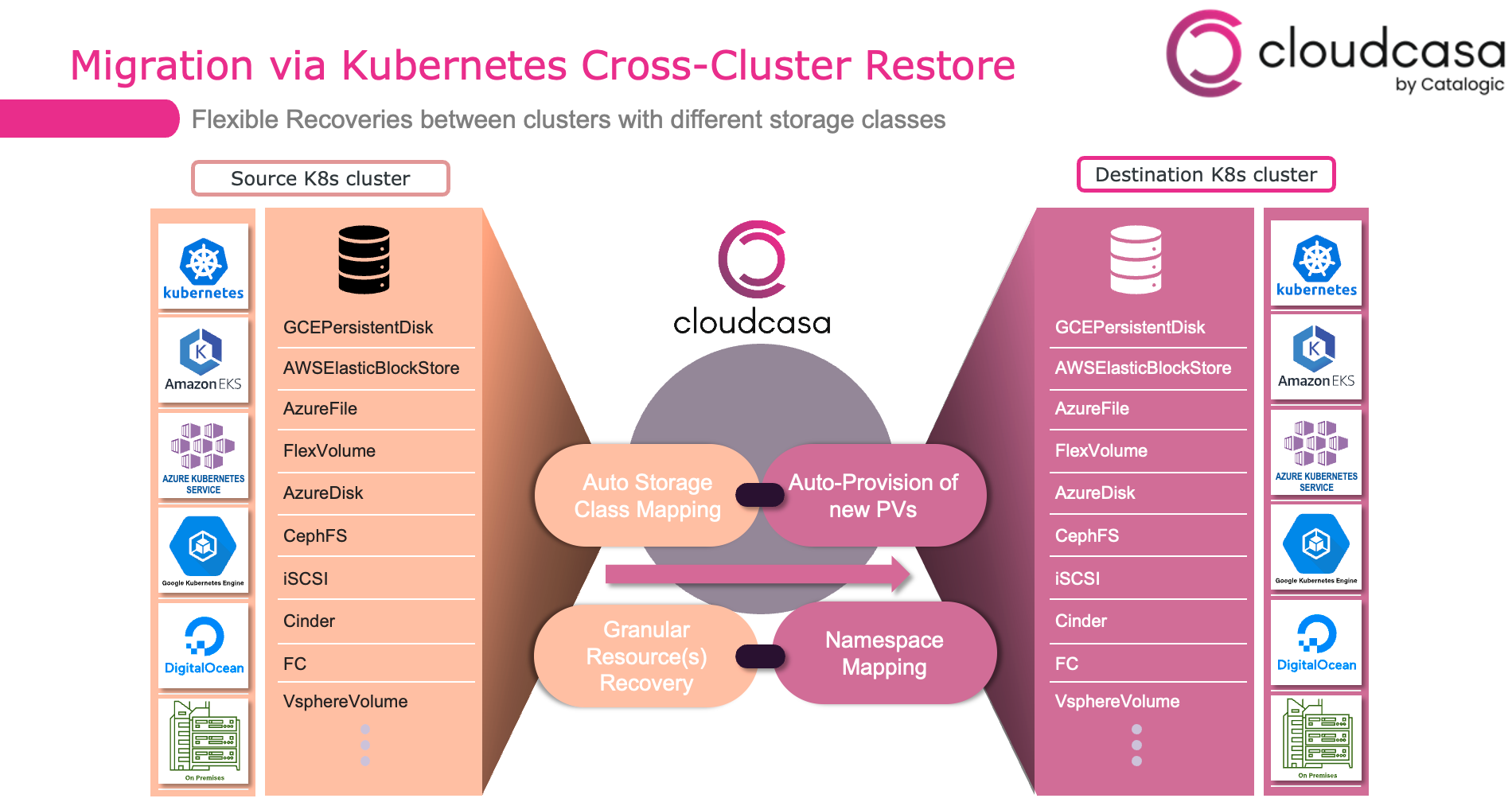
By backing up Azure cloud resources and AKS cluster configurations, CloudCasa can recreate clusters on the fly while remapping resources during restore.
Store optimized backup copies in Azure Blob storage, CloudCasa managed storage, or any compatible S3 storage in any cloud or on-premises. During restore, choose new or existing resources to restore your clusters and data.
Features and Integrations
Azure Kubenetes Marketplace
Azure-native integration
Azure Linux Migration
Azure Container Storage Migration
Restore of Azure files and Persistent Volumes
Data privacy with Azure Private links
Using Azure Blob Storage for backup storage
Granular Role-based access control (RBAC) & User Groups
Azure Kubenetes Marketplace
Transact CloudCasa from the Azure Marketplace or direclty from Azure portal. As a co-sell ready listing, get MACC credit for using CloudCasa!
Azure-native integration
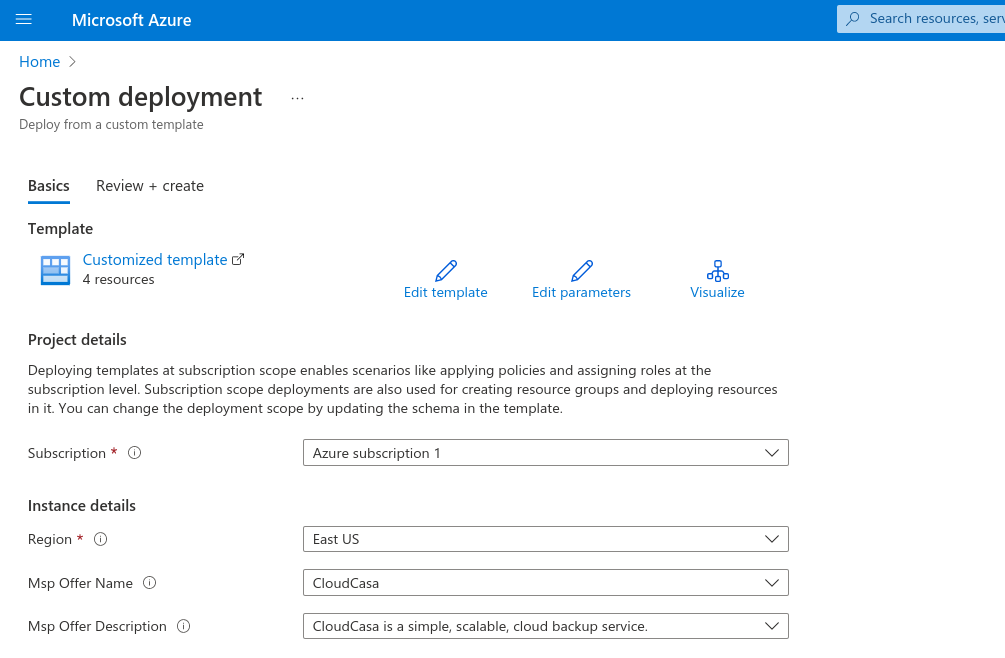
CloudCasa connects to Azure through Azure Resource Manager (ARM) templates. Benefits to using ARM templates:
We are not asking users to provide us any type of access or secret keys. It’s always a good practice to not keep/share such sensitive data if it’s not really necessary. That’s the rule we follow at CloudCasa for Azure and other providers we support.
ARM integration makes to onboarding process a lot easier. In just a few clicks, a user can integrate his Azure subscription with CloudCasa, which will automatically discover all the AKS clusters, resource groups, and other resources.
ARM integration gives more control to the user. When an ARM template is deployed, CloudCasa will be registered as a Service Provider in the Azure portal. From there, the user can see what permissions are used by CloudCasa.
Azure Linux Migration
Migrating from Ubuntu to Azure Linux is easy with auto cluster creation on restore. Simply do a full backup, and then during restore, select Azure Linux to use for the newly created clusters. Its that simple! For more details, see this Azure Linux migration blog.
Azure Container Storage Migration
Azure Container Storage is now supported as a storage resource. Have data you want to move from Azure Disk? Migration is super easy with CloudCasa – simply do a full backup, and then set up a restore and select the new Azure Container Storage resource from the UI. The migration is complete when the restore job is finished.
Restore of Azure files and Persistent Volumes
Simplify recovery processes, including using Azure Files CSI snapshots, to do cross-cluster recovery, AKS restores, and granular restore of resources by type with CloudCasa. Users can now safely restore data for applications using Azure Files.
The official Azure File CSI Driver supports snapshot creation, but it does not support the restore. It is acknowledged by Microsoft that snapshots can be restored from the Azure portal or using CLI. We can imagine how time-consuming and difficult it would be to restore hundreds or thousands of files.
CloudCasa automates this process by:
Automatically detecting PVs that use Azure Files and need to be restored.
For every such PV, it finds the right Storage Account and Azure File Share snapshot.
CloudCasa then uses the official Azure SDK to restore all the files and directories.
Data privacy with Azure Private links
CloudCasa utilizes the Azure Private links capability. Private links provide private connectivity between VPCs/vNets and your cloud services without exposing your traffic to the public internet. Private links help simplify your network architecture without compromising on security and scalability.
Azure highlights 5 key reasons for Azure Private Link service:
1. Privately access services on the Azure platform
2. On-premises and peered networks without ExpressRoute Peering
3. Protection against data leakage
4. Global reach and private connection to services across regions
5. Extension to your own services
Using Azure Blob Storage for backup storage
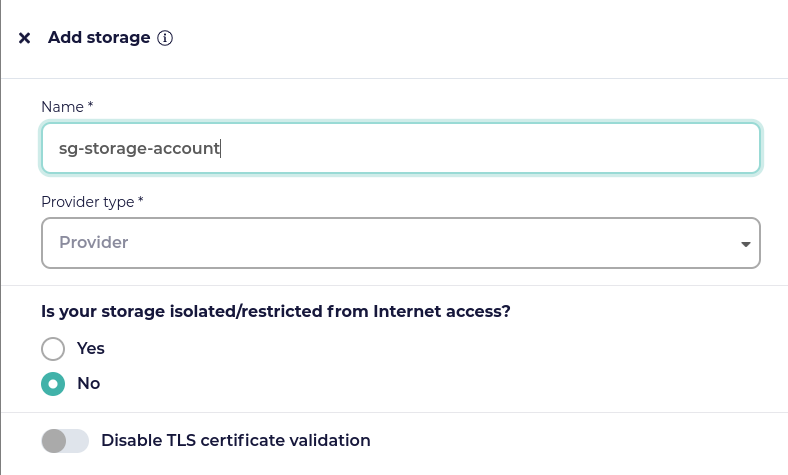
Configure Azure blob storage under Configuration/My Storage: region, resource group name, subscription ID, client ID, client secret, and tenant ID.
CloudCasa supports three different storage types: – CloudCasa Managed Storage – select the Cloud Provider and Region of your choice. – Customer Managed Public Storage – for storage reachable through the public Internet. All storage and retention management functions are managed by the CloudCasa service. – Customer Managed Private Storage – for storage inaccessible to the CloudCasa service. All storage and retention management functions are offloaded to a CloudCasa agent on a customer cluster.
Granular Role-based access control (RBAC) & User Groups
Roles are now definable by an administrator, and individual users can be assigned multiple roles. User groups can also be defined, and roles can be assigned to groups as well. The permissions a user has are the union of the permissions granted by the roles assigned to them and the permissions granted by the roles assigned to the groups they belong to.
To provide the best experiences, we use technologies like cookies to store and/or access device information. Consenting to these technologies will allow us to process data such as browsing behavior or unique IDs on this site. Not consenting or withdrawing consent, may adversely affect certain features and functions.
Functional
Always active
The technical storage or access is strictly necessary for the legitimate purpose of enabling the use of a specific service explicitly requested by the subscriber or user, or for the sole purpose of carrying out the transmission of a communication over an electronic communications network.
Preferences
The technical storage or access is necessary for the legitimate purpose of storing preferences that are not requested by the subscriber or user.
Statistics
The technical storage or access that is used exclusively for statistical purposes.The technical storage or access that is used exclusively for anonymous statistical purposes. Without a subpoena, voluntary compliance on the part of your Internet Service Provider, or additional records from a third party, information stored or retrieved for this purpose alone cannot usually be used to identify you.
Marketing
The technical storage or access is required to create user profiles to send advertising, or to track the user on a website or across several websites for similar marketing purposes.



 Bob
Bob rkaw
rkaw